Getting Started with Kaman
Welcome to Kaman! This guide will walk you through the platform step-by-step, from your first login to building your first AI agent.
Dashboard Overview
After logging in, you'll land on your Home Dashboard. This is your command center.
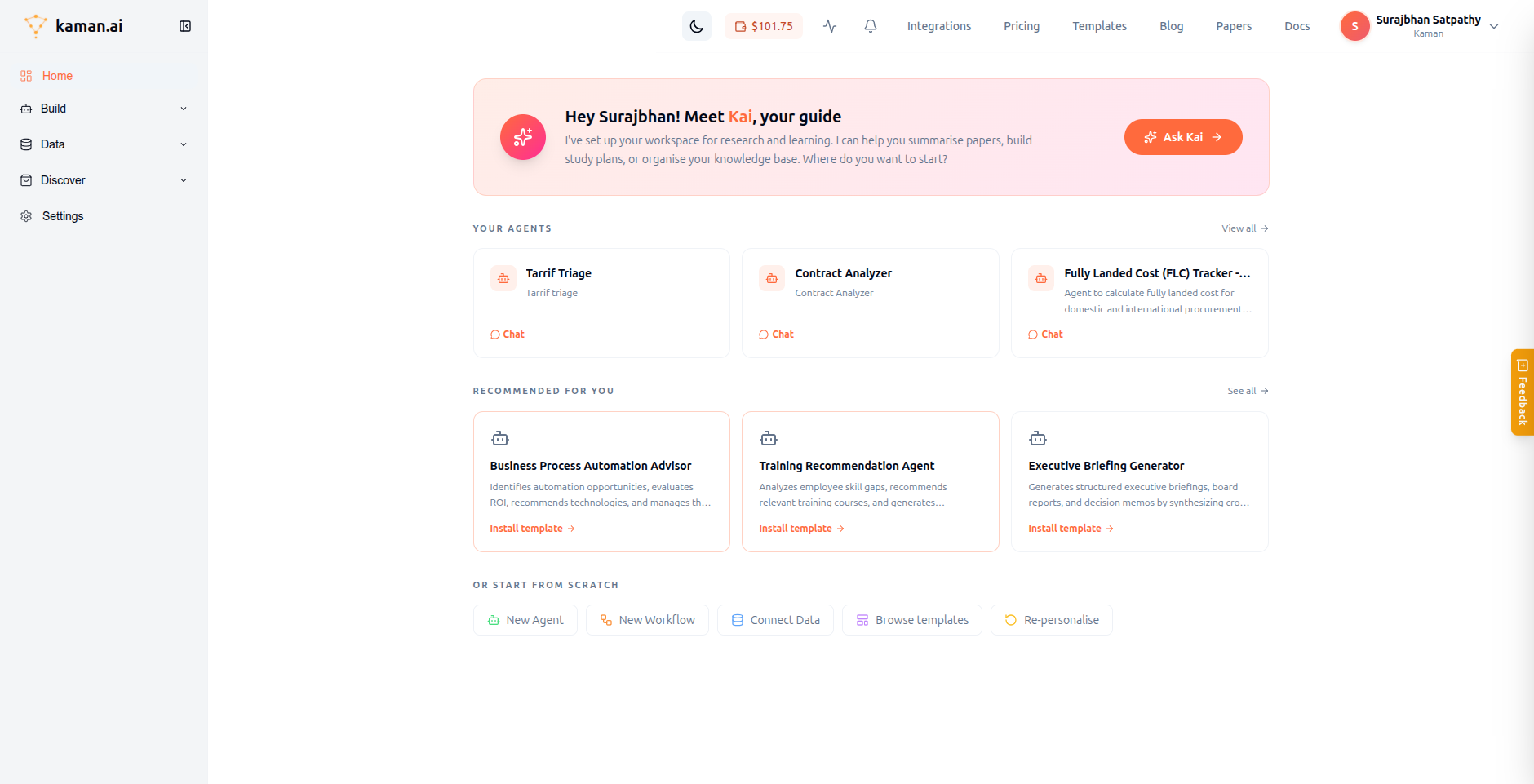
Here's what you'll see:
- Meet Kai — Your personal AI guide. Click Ask Kai to get help with anything on the platform.
- Your Agents — Quick access to your recently created AI agents. Click Chat to start a conversation.
- Recommended for you — Pre-built agent templates tailored to your use case. Click Install template to get started instantly.
- Or start from scratch — Quick links to create a new Agent, Workflow, connect data, or browse templates.
Navigation Sidebar
The left sidebar organizes everything into four sections:
| Section | Pages | What it does |
|---|---|---|
| Build | Agents, Workflows, Knowledge Base, Projects, My Resources | Create and manage your AI agents, workflows, and resources |
| Data | Lake House, Triggers, Channels, Memory, Skills, Schedules | Connect data sources, deploy to channels, manage agent memory |
| Discover | Integrations, Templates, Marketplace | Browse 85+ connectors, install pre-built templates |
| Settings | Users, Roles, Credentials, Models, API Keys, and more | Configure your workspace, team access, and credentials |
Settings Hub
Navigate to Settings from the sidebar to manage your workspace.
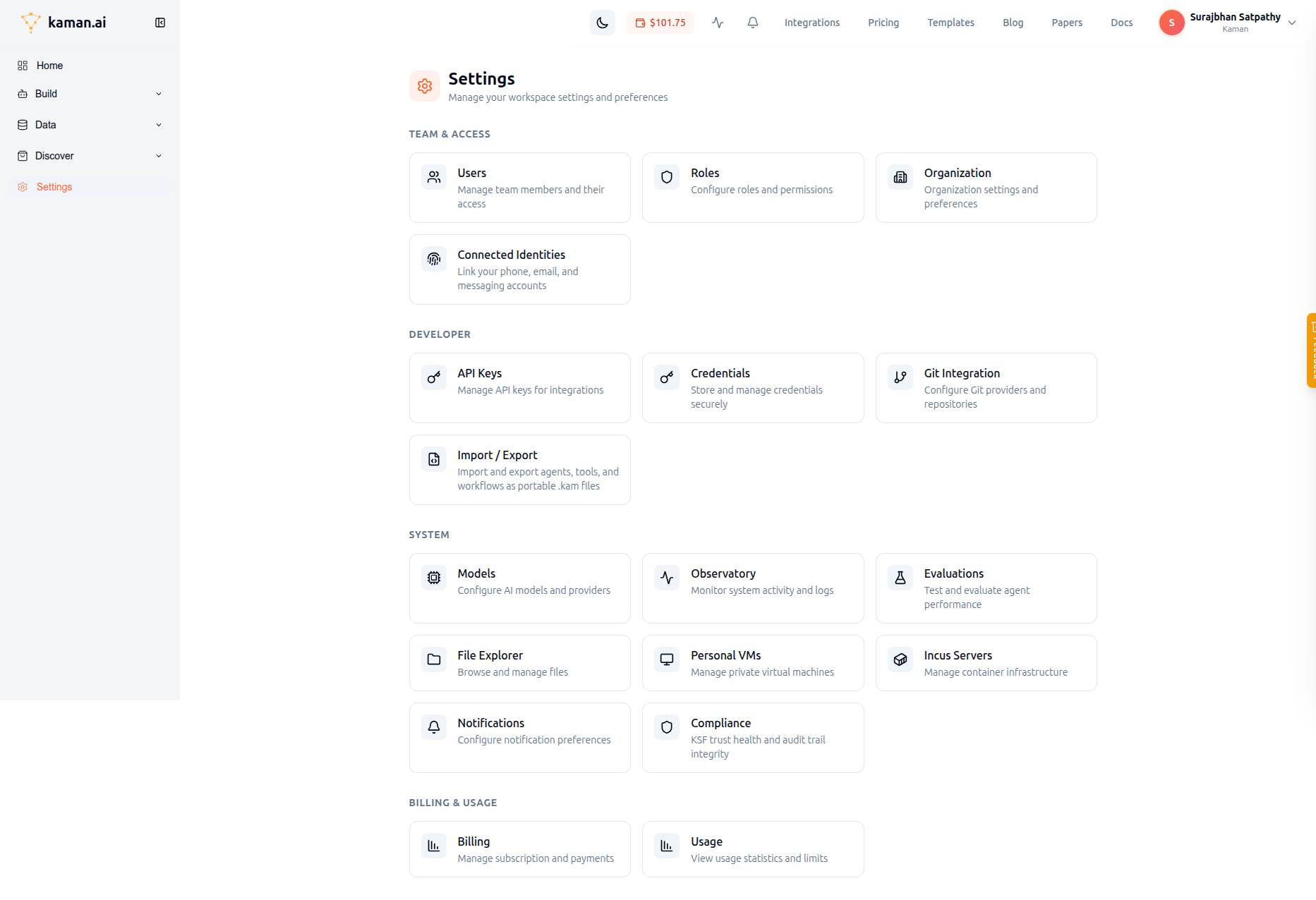
The Settings page is organized into four categories:
Team & Access
- Users — Invite team members, assign roles
- Roles — Create custom roles with granular permissions
- Organization — Manage organization settings
- Connected Identities — Link your phone, email, and messaging accounts for channel identity resolution
Developer
- API Keys — Generate API keys (kam_* format) for external integrations
- Credentials — Store encrypted credentials for MCP connectors and tools
- Git Integration — Connect GitHub/GitLab for version-controlled agent development
- Import / Export — Move agents, tools, and workflows between environments using .kam files
System
- Models — Configure AI models (OpenAI, Anthropic, Groq, Azure, etc.)
- Observatory — Monitor system activity and logs
- Evaluations — Test and benchmark agent performance
Billing & Usage
- Billing — View your balance, manage subscription
- Usage — Track token consumption by agent, model, and time period
What's Next?
Now that you know your way around, here are the most common next steps:
- Create Your First Agent — Build an AI agent in minutes
- Set Up Credentials — Store credentials for connecting to external services
- Connect a Data Source — Sync data from PostgreSQL, MySQL, Google Sheets, and 80+ more
- Use the Chat Interface — Chat with your agents and use tools
- Create a Workflow — Build automated multi-step workflows